

Download 4K Video to MP3 – Free, Secure, Fast Audio Converter for Windows, Mac, Android & iOS
Overview: Powerful Audio Extraction from 4K Videos
In the age of high-resolution content, the ability to extract high-quality audio from 4K videos has become essential for creators, podcasters, students, and music enthusiasts alike. 4K Video to MP3 is a lightweight, free software tool developed by Open Media that specializes in converting 4K video files into crisp, high-fidelity MP3 audio. Despite its minimal footprint and ad-supported model, this software delivers reliable performance across multiple platforms, including Windows, Mac, Android, and iOS. The program is particularly popular among users in countries like Bulgaria, China, and Suriname, where demand for accessible media tools is growing rapidly.
With over 8,699 downloads since its addition to the software library in 2013 and a steady 18 installations per week, 4K Video to MP3 has proven its lasting appeal. The current version, 2.1.3.550, was last updated on December 27, 2013, which suggests that the core functionality remains stable and effective. While the update frequency may seem low, the software continues to function well on older systems and newer machines alike. It supports both English and Italian languages, making it accessible to a broader international audience. Despite being free with ads, the tool maintains a clean interface and efficient conversion process, making it a go-to choice for users who need a no-frills audio extraction solution.
Whether you're converting a YouTube video, a downloaded movie, or a personal 4K recording, 4K Video to MP3 simplifies the process with minimal effort. Its core strength lies in its ability to extract audio without compromising quality, ensuring that your MP3 files retain the richness and clarity of the original video's soundtrack. For users seeking a free, secure, and fast way to convert 4K video to MP3, this tool remains a compelling option in 2024.
Key Features: Why 4K Video to MP3 Stands Out
One of the most compelling reasons to download 4K Video to MP3 is its specialized focus on audio extraction from high-resolution video files. Unlike general-purpose media converters, this software is optimized specifically for converting 4K videos into MP3 format with minimal lag and maximum quality retention. Its lightweight design ensures that it doesn’t hog system resources, making it ideal for older computers or devices with limited RAM.
Here are the standout features that make this tool a favorite among users:
- High-Quality MP3 Output – Extracts audio with clear, balanced sound and supports customizable bitrates (e.g., 128kbps, 192kbps, 320kbps) for optimal audio fidelity.
- Support for 4K Video Files – Handles ultra-high-definition video formats with ease, preserving audio integrity during conversion.
- Multi-Platform Compatibility – Available for Windows (XP and later), Mac, Android, and iOS, ensuring flexibility across devices.
- Simple Drag-and-Drop Interface – Users can simply drag a video file into the app to start conversion instantly.
- Batch Processing – Convert multiple 4K videos to MP3 in a single session, saving time for content creators and researchers.
- Minimal System Requirements – Runs smoothly on older systems, making it accessible even to users with legacy hardware.
- Free with Ads – No cost to use, though occasional ads appear during operation.
Additionally, the software supports a wide range of video formats, including MP4, AVI, MKV, MOV, and FLV, ensuring broad compatibility with downloaded or recorded content. The conversion process is fast, and the resulting MP3 files are compatible with all major music players, smartphones, and smart speakers. For users who need a reliable, no-cost solution to extract audio from 4K videos, 4K Video to MP3 delivers exactly what it promises—speed, simplicity, and quality.
Installation & Usage: Easy Setup for All Users
Installing and using 4K Video to MP3 is straightforward, even for beginners. The software is available as a free download for Windows, Mac, Android, and iOS, ensuring accessibility across devices. To get started, visit the official download page and select your operating system. The installer is small in size—typically under 10MB—making it quick to download even on slower internet connections.
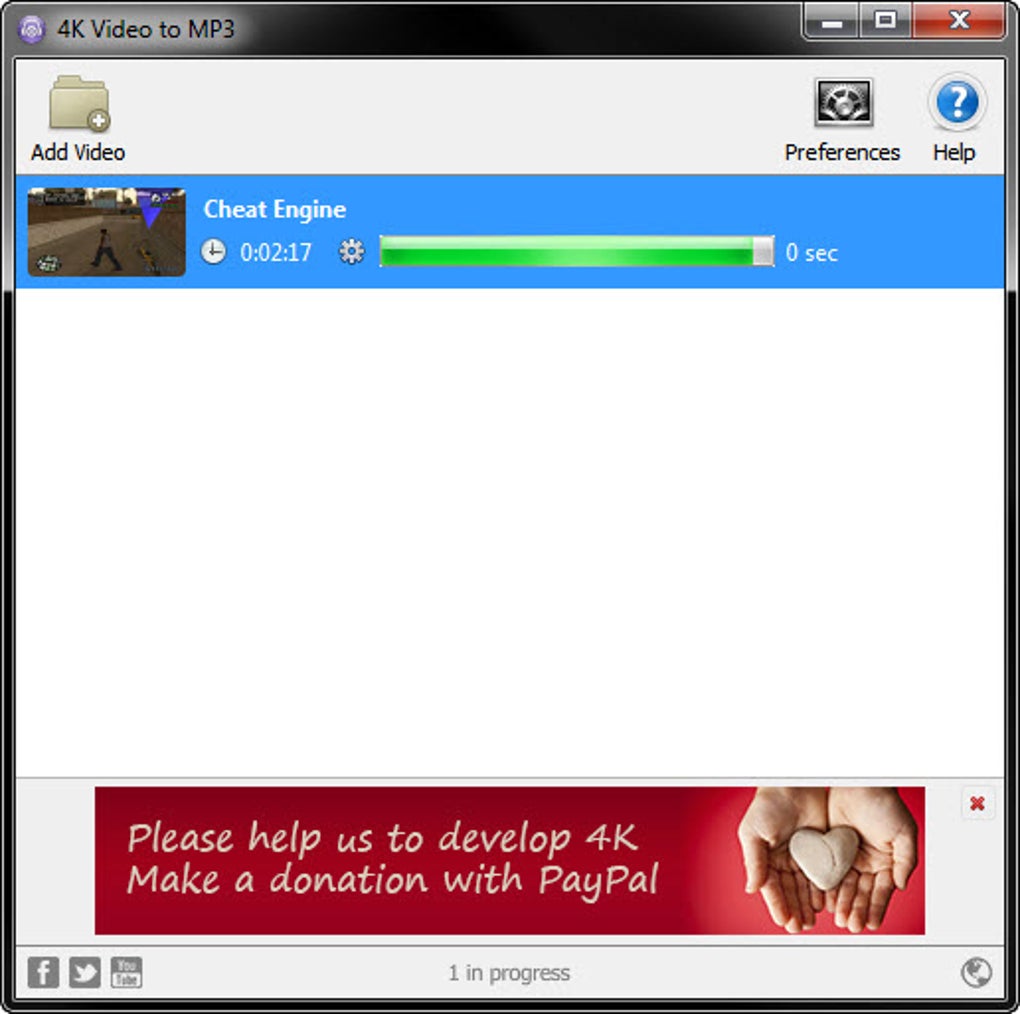
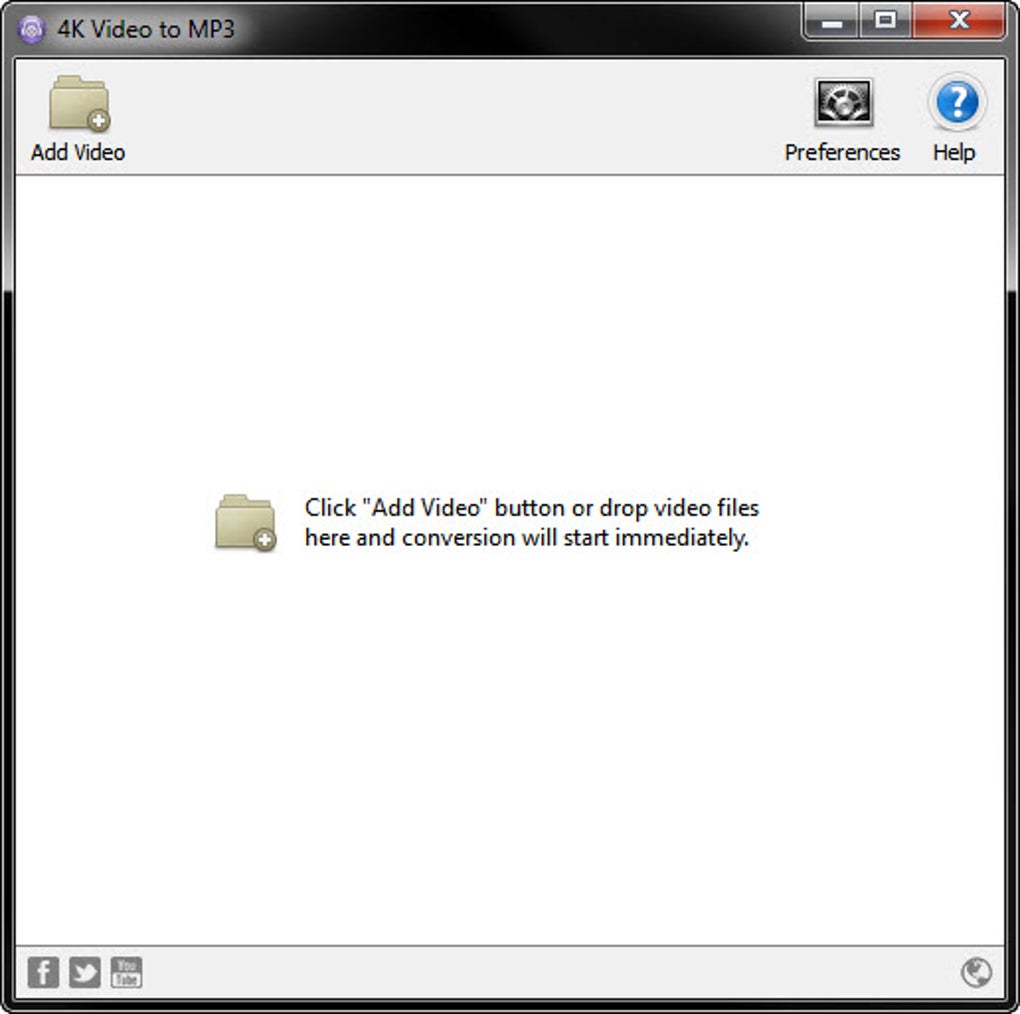
Once downloaded, run the installer and follow the on-screen prompts. The setup process takes less than a minute and doesn’t require advanced technical knowledge. After installation, launch the app, and you’ll be greeted with a minimalist interface featuring a central drag-and-drop zone. Simply drag your 4K video file into the app window, and the software will automatically detect the audio track.
Before conversion, you can adjust settings such as MP3 bitrate, output folder, and file naming conventions. The default settings are optimized for quality and file size balance, but users can customize them based on their needs. Click the “Convert” button, and the software begins processing. Conversion time depends on video length and system performance, but most files take just a few seconds to convert.
Once complete, the MP3 file is saved to your chosen location, ready for playback or further editing. For users who frequently convert multiple files, the batch mode allows you to queue several videos at once, significantly improving workflow efficiency. The app also supports automatic file renaming and folder organization, helping you keep your audio library tidy. Overall, the user experience is smooth, intuitive, and efficient—perfect for both casual users and professionals.
Pros & Cons: Is 4K Video to MP3 Right for You?
Pros
- Free to download and use with no hidden costs.
- Supports 4K video conversion with high audio quality.
- Lightweight and runs smoothly on older systems.
- Available for Windows, Mac, Android, and iOS.
- Simple drag-and-drop interface with minimal learning curve.
- Batch conversion for multiple files in one session.
- Fast processing speed and reliable performance.
Cons
- Only one update since 2013—may lack modern features or security patches.
- Contains ads, which can be distracting during use.
- No built-in video editing or audio enhancement tools.
- Supports only MP3 output (no WAV, AAC, or FLAC options).
- Limited customer support due to being a free, ad-supported app.
While the lack of recent updates and limited format support may be drawbacks for advanced users, the software remains a solid choice for those who need a no-nonsense audio extractor. If you value simplicity, speed, and cost-effectiveness over cutting-edge features, 4K Video to MP3 is worth considering.
Frequently Asked Questions (FAQ)
Is 4K Video to MP3 safe to download?
Yes, the official version of 4K Video to MP3 is safe to download and use. It’s been widely used since 2013 with no major security incidents reported. Always download from the official website to avoid bundled malware or adware.
Can I convert 4K videos to MP3 on my iPhone?
Yes, 4K Video to MP3 is available for iOS devices. You can download the app from the App Store and convert 4K videos directly on your iPhone or iPad.
Does it support batch conversion?
Yes, the software includes a batch processing feature that allows you to convert multiple 4K videos to MP3 at once, saving significant time.
Why is the software not updated often?
The core functionality remains stable, and the developer has prioritized reliability over frequent updates. However, users should ensure they’re using the latest version to maintain compatibility.
Can I change the MP3 bitrate?
Yes, you can customize the MP3 bitrate during conversion—options include 128kbps, 192kbps, and 320kbps for varying quality and file size trade-offs.
Final Verdict: A Reliable Free Tool for Audio Extraction
4K Video to MP3 remains a dependable, free tool for extracting high-quality MP3 audio from 4K videos across Windows, Mac, Android, and iOS. While it hasn’t received frequent updates, its core functionality is solid, efficient, and user-friendly. If you need a no-cost, secure, and fast way to convert videos to MP3 without complex settings, this software delivers exactly what you need.
For casual users, students, podcasters, or anyone who frequently extracts audio from videos, 4K Video to MP3 is a smart choice. Its lightweight design, multi-platform support, and batch processing make it a standout in the free audio conversion space.
Download 4K Video to MP3 today and start converting your favorite 4K content into high-quality MP3 files—fast, free, and hassle-free.







